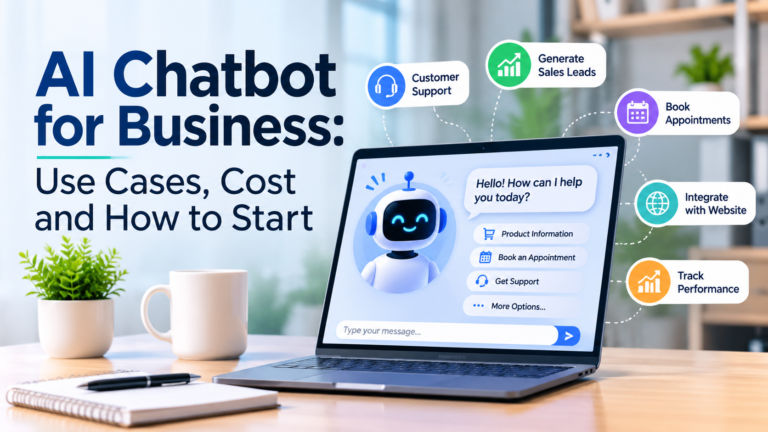
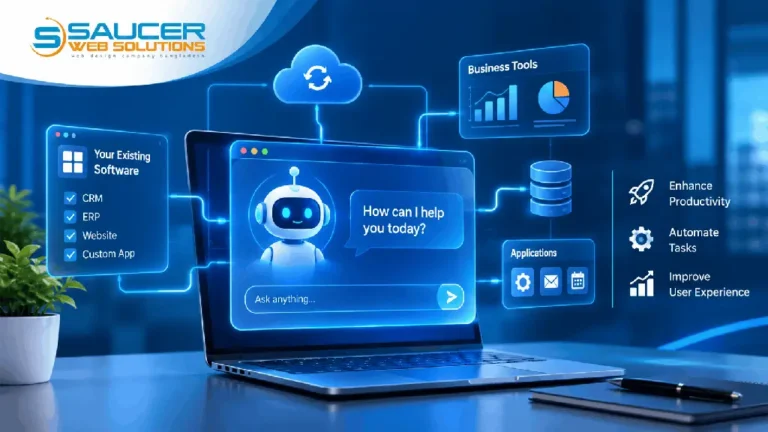
add ai to existing software is an effective way for businesses to improve customer support, automate repetitive tasks, and make existing applications more intelligent without rebuilding everything from scratch. With modern AI technologies, companies can integrate intelligent assistants into their websites, CRM systems, ERP platforms, booking applications, and custom business software.
Introduction to AI Integration in Existing Software
AI integration means connecting an artificial intelligence service to an application so it can understand requests, process information, and generate useful responses.
Instead of replacing an existing system, developers connect an AI model through an API (Application Programming Interface). The application sends relevant information to the AI service, receives a response, and displays or processes the result.
For example, an online store could introduce an AI assistant that answers questions about products, explains delivery policies, and helps customers find suitable items.
Common technologies include:
- OpenAI API for language-based AI features.
- Large language models (LLMs) for understanding and generating text.
- Retrieval-Augmented Generation (RAG) for answering questions using company documents.
- Backend APIs for connecting AI services with existing applications.
The objective is to add useful intelligence without disrupting established workflows.
Why Add AI to Existing Software?
Businesses often invest significant time and money in software that already supports their operations. Replacing a working application simply to introduce AI may be unnecessary.
Choosing to add AI to existing software allows companies to improve specific features while retaining their current database, user accounts, and business processes.
Some important advantages include:
Improved customer support: An AI assistant can respond to common questions, explain services, and help users navigate an application.
Reduced repetitive work: AI can summarize documents, organize information, draft responses, and assist employees with routine tasks.
Better user experience: Users can interact with software through natural language instead of navigating multiple screens.
Faster access to information: An AI assistant connected to approved business data can help users find relevant information more efficiently.
Scalable functionality: Companies can introduce additional AI capabilities as their requirements evolve.
Main Benefits and Features of AI Integration
The value of AI depends on how well it addresses an actual business problem. Here are some practical features worth considering.
1. Intelligent Customer Support
An AI chatbot can answer frequently asked questions, explain company policies, and guide visitors through services. When a question requires human attention, the assistant can direct the conversation to a support representative.
2. Automated Document Processing
Businesses regularly handle invoices, reports, applications, and contracts. AI can extract relevant information, summarize documents, and help employees review content.
Sensitive documents should receive appropriate access controls and human review.
3. Smart Search Functionality
Traditional search often depends on exact keywords. AI-powered search can understand the meaning behind a question and retrieve more relevant information.
For example, an employee could ask, “Show me the latest customer orders that need attention” instead of searching through several filters.
4. Personalized Recommendations
An AI assistant can use permitted customer preferences and product information to suggest relevant services or products. Recommendations should respect privacy requirements and available customer permissions.
5. Workflow Assistance
AI can help employees prepare reports, draft emails, classify support requests, and organize tasks. Actions involving payments, account changes, or important business decisions should require appropriate authorization.
Practical Use Cases for AI in Business Software
AI can be integrated into many types of existing applications.
- CRM systems: Summarize customer conversations, prepare follow-up drafts, and organize sales inquiries.
- E-commerce platforms: Answer product questions, explain order policies, and recommend relevant products.
- ERP software: Help employees retrieve inventory information and understand operational reports.
- Booking systems: Answer availability questions and explain booking procedures.
- Healthcare administration: Assist with administrative information and appointment inquiries while protecting sensitive records.
- Education platforms: Provide learning assistance, explain course information, and help students navigate educational resources.
Consider a company using custom CRM software. Its employees currently search customer records manually. An integrated AI assistant could retrieve authorized information and summarize previous interactions, reducing the time spent navigating the system.
Costs, Challenges, and Important Considerations
The cost of AI integration depends on the complexity of the existing application and the features being developed. There is no single price that applies to every project.
Important cost factors include:
- Existing software architecture and programming language.
- AI model and API usage.
- Number of users and expected requests.
- Database connections and document processing.
- Security, testing, and maintenance.
- Additional integrations with third-party services.
There are also technical challenges. Older applications may have limited API support, inconsistent data, or outdated infrastructure.
Security deserves particular attention. API credentials must remain on the server rather than being exposed in browser code. Developers should also implement authentication, authorization, input validation, rate limits, and appropriate data retention policies.
AI responses are not always accurate. For this reason, important decisions should include human oversight and suitable verification procedures.
How to Add AI to Existing Software: Step-by-Step Guide
A structured implementation process makes integration easier to manage.
Step 1: Identify the business requirement
Start with one clear problem. Decide whether you need customer support automation, document assistance, smart search, or workflow support.
Avoid adding AI simply because the technology is available.
Step 2: Review your existing software
Examine the application’s backend, database, APIs, authentication system, and current architecture. Determine whether the existing application can communicate with an external AI service.
Step 3: Select the appropriate AI technology
Choose a suitable model and integration method. OpenAI API integration is one option for applications that need conversational responses, structured outputs, or connections to external functions.
An LLM should be selected according to the application’s accuracy, performance, privacy, and budget requirements.
Step 4: Connect the AI through your backend
Create a secure backend connection between your application and the AI provider. The backend should manage API credentials, prepare requests, process responses, and enforce access permissions.
Never expose private API keys in frontend JavaScript.
Step 5: Connect relevant business data
If the assistant needs company-specific information, connect approved data sources. RAG can retrieve relevant documents or database information and provide that context to the AI model.
This helps the assistant answer questions using business information rather than relying only on general model knowledge.
Step 6: Test and improve the assistant
Test different questions, incorrect inputs, unexpected requests, and access restrictions. Evaluate response quality, speed, reliability, and operating costs before deployment.
Step 7: Launch gradually and monitor performance
Begin with a limited group of users or a specific feature. Collect feedback, monitor API usage, review errors, and improve the assistant over time.
Common Mistakes to Avoid
A successful AI project requires more than connecting an API. Avoid these common mistakes:
- Rebuilding the entire application when a smaller integration would work.
- Exposing API keys or sensitive customer information.
- Allowing AI to perform important actions without authorization.
- Connecting outdated or inaccurate business data.
- Ignoring API usage limits and operational costs.
- Skipping testing and human review.
- Trying to automate too many processes in the first release.
Start with a manageable feature, measure its value, and expand when the results justify further investment.
Frequently Asked Questions
1. Can I add AI to my existing software without rebuilding it?
Yes. Many applications can integrate AI through APIs and backend services. The required changes depend on the existing software architecture and its ability to connect with external services.
2. How does OpenAI API integration work?
The application sends a request from its backend to an AI model through an API. The model processes the input and returns a response, which the application can display or use within an approved workflow.
3. Do I need to train my own AI model?
Not necessarily. Many businesses can use existing AI models with carefully prepared instructions and relevant company data. RAG is one approach for connecting an AI assistant to business documents without training a new model.
4. Is AI integration secure for business applications?
It can be designed securely with server-side API connections, authentication, access controls, input validation, and appropriate data handling policies. Security also depends on the AI provider and the application’s implementation.
5. How long does it take to integrate an AI assistant?
The timeline depends on the software architecture, integration requirements, data sources, and testing needs. A basic chatbot may require considerably less development than an assistant connected to multiple business systems.
Conclusion
Businesses do not always need entirely new applications to benefit from artificial intelligence. With the right planning and development approach, companies can add AI to existing software while retaining their current systems and workflows.
Start by identifying a practical business requirement, reviewing your software architecture, selecting an appropriate AI model, and building a secure API connection. Test the integration carefully before expanding its capabilities.
If you are planning to add AI to existing software, working with an experienced development team can help you choose the right technology and avoid unnecessary complexity.
Saucer Web Solutions helps businesses develop and improve digital solutions through practical software development and technology integration. Visit Saucer Web Solutions to explore how your existing application can become more intelligent and efficient.