
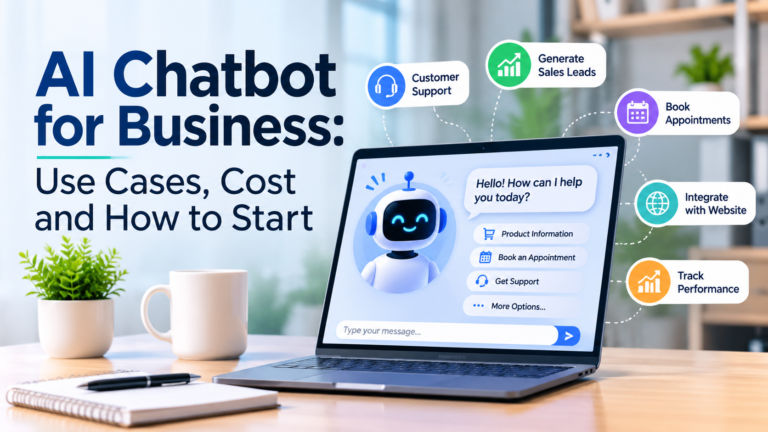
An AI chatbot for business can help companies improve customer communication, automate repetitive tasks, generate leads, and provide faster customer support. As more customers expect immediate answers online, businesses need smarter ways to manage conversations without increasing their daily workload.
From small businesses and startups to established companies, AI chatbots are becoming useful tools for improving customer experiences and operational efficiency.
Unlike traditional chatbots that depend on predefined questions and answers, modern AI chatbots can understand natural language, interpret customer requests, and generate relevant responses. With the right configuration, they can also connect with company websites, customer databases, booking platforms, and other business applications.
In this guide, we will explore how business chatbots work, their practical applications, development costs, and how to implement one successfully.
What Is an AI Chatbot for Business?
An AI chatbot for business is an artificial intelligence-powered software application that communicates with customers through text or voice. It can be integrated into a website, messaging platform, or customer service system.
For example, imagine a potential customer visiting your website outside business hours. They want to know about your services, pricing, or project timelines. Instead of waiting for an employee to respond, they can ask the chatbot and receive an immediate answer based on your company’s information.
A custom AI chatbot can be configured with:
Company information and service descriptions.
Product details and pricing information.
Frequently asked questions.
Customer support documentation.
Booking and appointment information.
Business policies and procedures.
This makes it possible to provide more accessible customer support while reducing repetitive work for employees.
Why AI Chatbot for Business Matters Today
Customer expectations have changed. People increasingly prefer quick responses rather than waiting for emails or callbacks.
An AI chatbot helps businesses manage these expectations by providing assistance whenever customers visit their digital platforms.
Consider a web development company receiving dozens of inquiries about website design, WordPress development, pricing, and maintenance. Answering every question manually can consume valuable working hours.
A properly configured chatbot can handle routine inquiries, collect project requirements, and direct interested customers to the appropriate service pages.
It can also help businesses maintain consistent communication across different time zones.
For companies looking to improve their digital operations, chatbot automation can become a practical part of their customer engagement strategy.
7 Important Benefits of a Business Chatbot
1. 24/7 Customer Support
An AI chatbot can answer common questions outside normal working hours. Customers can access business information without waiting for an employee to become available.
2. Better Lead Generation
A chatbot can ask visitors about their requirements, preferred services, budget, and contact details. With appropriate consent, this information can be forwarded to the sales team.
3. Reduced Repetitive Work
Employees often answer the same questions repeatedly. A chatbot can handle routine inquiries, allowing staff to focus on more complex customer needs.
4. Improved Customer Experience
Visitors can receive immediate assistance, explore services, and find relevant information through a conversational interface.
5. Multilingual Communication
Businesses serving international customers can configure chatbots to support multiple languages, depending on the capabilities of the selected AI model.
6. Consistent Business Information
A chatbot connected to an approved company knowledge base can provide consistent answers about services, policies, and products.
7. Scalable Customer Communication
As website traffic grows, a chatbot can handle multiple conversations simultaneously. This can reduce pressure on customer support teams, although usage limits and infrastructure still matter.
Practical Use Cases of AI Chatbots
Different industries can use chatbots to solve different business problems.
| Industry | Chatbot application |
|---|---|
| E-commerce | Product recommendations and order inquiries |
| Real estate | Property information and viewing requests |
| Healthcare | General service information and appointment inquiries |
| Education | Course information and admission questions |
| Travel | Booking assistance and travel information |
| Digital agencies | Service inquiries and project lead generation |
| Professional services | Consultation requests and FAQs |
Custom AI Chatbot for Website Integration
A custom AI chatbot can be especially valuable when a business wants more than a basic question-and-answer system.
For example, a WordPress website can integrate a chatbot that understands company services, answers visitor questions, and collects project inquiries.
More advanced integrations can connect the chatbot with CRM platforms, booking systems, and business databases.
One useful technology is Retrieval-Augmented Generation (RAG). It allows an AI system to retrieve relevant information from approved documents or databases before generating an answer.
This helps businesses create assistants that respond using their own information rather than relying only on general AI knowledge.
How Much Does an AI Chatbot Cost?
The cost of developing an AI chatbot depends on its functionality, integrations, complexity, and expected usage.
The following figures are illustrative development-budget ranges, not fixed market quotations.
| Chatbot solution | Estimated cost |
|---|---|
| Ready-made chatbot subscription | $30–$100/month |
| Basic custom AI chatbot | $1,500–$10,000 |
| Chatbot with CRM or booking integration | $5,000–$20,000 |
| Advanced enterprise chatbot | $20,000+ |
Actual prices can vary significantly depending on the development provider and project requirements.
Factors That Affect Development Costs
Features: Basic FAQ automation is simpler than an assistant that processes bookings or retrieves customer records.
AI model: Different AI models have different usage costs.
Integrations: Connecting CRM, payment, booking, or inventory systems requires additional development.
Knowledge base: Preparing and organizing company information takes time.
Maintenance: Hosting, monitoring, security updates, and improvements create ongoing expenses.
Businesses should calculate both initial development costs and recurring operating expenses before selecting a solution.
How to Start an AI Chatbot for Your Business
Implementing a chatbot does not have to be complicated. A step-by-step approach helps businesses avoid unnecessary development expenses.
Step 1: Identify Your Business Goals
Decide what you want the chatbot to achieve.
For example:
Answer frequently asked questions.
Generate potential customer leads.
Explain products and services.
Schedule appointments.
Provide basic customer support.
Start with one or two objectives instead of building everything at once.
Step 2: Prepare Your Business Information
Collect accurate company information, including service descriptions, FAQs, pricing, policies, and contact details.
Organize these resources into a knowledge base. This will help your AI assistant provide answers that reflect your actual business operations.
Step 3: Choose the Right Technology
Select a chatbot platform or development approach based on your requirements.
A ready-made platform may work for simple customer inquiries. A custom AI chatbot is more suitable when you need specialized functionality, business-specific knowledge, or integrations.
Step 4: Integrate the Chatbot Into Your Website
A chatbot for website integration can be implemented using an embedded script, plugin, or custom development.
For WordPress websites, the chatbot should work smoothly with the existing website design and remain accessible on mobile devices.
Step 5: Test and Launch
Before launching, test the chatbot with realistic customer questions.
Check whether it:
Understands different ways of asking questions.
Provides accurate company information.
Avoids making up prices or promises.
Handles unanswered questions appropriately.
Transfers complicated inquiries to human staff.
Step 6: Monitor and Improve
After launching, monitor conversations and review customer feedback.
Track conversation volume, qualified leads, unanswered questions, and customer satisfaction. Update the knowledge base whenever your business information changes.
Common AI Chatbot Mistakes Businesses Should Avoid
Even a technically advanced chatbot can create problems if it is not configured properly.
Avoid these common mistakes:
Using outdated information: Incorrect service details or pricing can reduce customer trust.
Ignoring human support: Customers should have an option to speak with a real representative.
Overcomplicating the chatbot: Too many unnecessary features can make the experience confusing.
Ignoring privacy: Protect customer information and follow applicable data protection requirements.
Not testing responses: Regular testing helps identify incorrect or irrelevant answers.
Frequently Asked Questions
1. What is an AI chatbot for business used for?
An AI chatbot for business is used to answer customer questions, generate leads, provide product information, automate routine support, and assist with appointment inquiries.
2. Can I add an AI chatbot to my WordPress website?
Yes. You can integrate an AI chatbot into WordPress using a compatible plugin, an embedded chatbot service, or custom development.
3. How much does a custom AI chatbot cost?
The cost depends on functionality, AI model usage, integrations, and development requirements. A basic custom solution may cost less than an advanced enterprise chatbot.
4. Can an AI chatbot generate business leads?
Yes. It can ask visitors relevant questions, collect contact information with appropriate consent, and forward qualified inquiries to a sales team.
5. Is an AI chatbot better than a traditional chatbot?
An AI chatbot is generally more flexible when customers ask questions in natural language. However, traditional chatbots can be more suitable for simple workflows with fixed options.
Conclusion
An AI chatbot for business can help companies improve customer communication, automate repetitive tasks, and create better online experiences.
From customer support and lead generation to appointment assistance and website automation, businesses can use AI chatbots in several practical ways.
The best strategy is to identify a clear business requirement, prepare reliable company information, select suitable technology, and continuously improve the chatbot after launch.
For businesses planning to upgrade their digital presence, a well-developed chatbot can be a valuable addition to their website and customer service strategy.